CAVA
- 4.7
- Rating
- 500.00K
- Installs
- Free
- Price

 Analysis by App-foxy
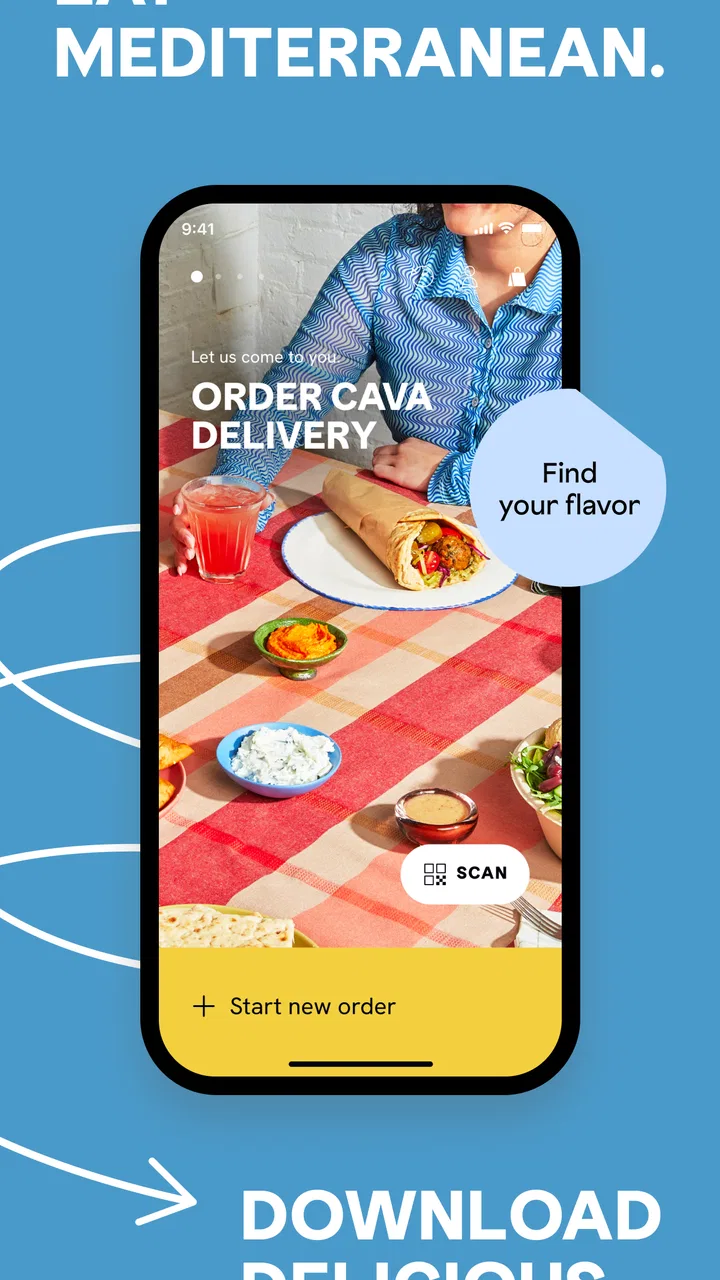
I tend to judge a restaurant app by what happens when I am hungry and in a hurry: can I place the order without confusion, understand what I am choosing, and keep control of the process until pickup or delivery? That is the practical test I applied to CAVA, the Food & Drink app from CAVA Grill. Its focus is simple—ordering ahead, delivery, and rewards—but the experience is more useful when you look closely at how those jobs fit together.
The app is free, aimed at Everyone, and has been available since October 23, 2013. It has built a solid audience, with an average rating of 4.5 from around 7.5 thousand ratings, alongside more than 500 thousand installs. Those figures suggest that it is not a novelty built only for occasional experiments; it is a service many diners use as part of their normal restaurant routine.
My overall impression is positive, with one important qualification: this is most valuable when you already want CAVA and need a smoother way to order. It is not a restaurant discovery tool, a meal-planning app, or a replacement for browsing every nearby food option. Its strength comes from reducing steps between deciding what to eat and getting that meal arranged.
You May Also Like

 Blood Strike: 2.5 Anniversary
Blood Strike’s Loadouts Turn Every Drop Into a Tactical Gamble
A close look at Blood Strike’s custom loadouts: how fast access to signature weapons reshapes its battle royale rhythm, rewards preparation, and narrows the gap between fights.

 Pandora - Music & Podcasts
Pandora’s Music Is Easy to Start, but Harder to Recover
Pandora’s strength is its low-effort path from a seed to a station. Its weak spot is how much confidence it asks you to place in connection, setup, and quiet recovery.

 8 Ball Pool
 Is Built on Rivalries, Rematches, and Routine
A close look at the rivalries, rematches, shared routines, and unanswered safety questions that turn a quick pool match into a persistent mobile community.

 Samsung Music
’s Quiet Strength Is Playing What You Already Own
Its reach comes less from spectacle than from dependable access to a personal library. That simplicity is both the app’s strongest retention engine and its ceiling.

 AccuWeather: Weather Radar
AccuWeather Review: A Quick, Clear Forecast for Everyday Decisions
For everyday plans, the best forecast is the one you can understand quickly. AccuWeather makes rain timing, radar, and local conditions easy to act on, with a few trade-offs.

 Hill Climb Racing
Why Hill Climb Racing Still Turns Crashes Into One More Run
A tiny car, a bumpy hill and one more upgrade: Hill Climb Racing keeps resurfacing because its simple chaos makes every near-miss feel personal.
More From Our News Desk
View All News


What using CAVA feels like in everyday situations
The most natural use case is a busy lunch. Imagine leaving work with only a short break and wanting a bowl, pita, or another familiar CAVA meal without standing in line. Ordering ahead lets you make the choices while you still have a moment, review the order before submitting it, and arrive with the pickup plan already decided. That is a small convenience, but it is exactly the kind that makes a restaurant app worth keeping.
Delivery changes the decision slightly. Instead of optimizing for speed at the restaurant, you are using the app to manage the entire handoff from menu selection to arrival. I find this especially useful when ordering for more than one person, because the digital menu gives you time to check customizations rather than trying to remember everyone’s preferences at a counter.
Rewards add a second reason to return to the app. They are not a substitute for good food, but they can make the official ordering channel more appealing than repeatedly switching between a restaurant app and a third-party delivery service. If you visit CAVA often, keeping orders and rewards in the same place is more convenient than treating each meal as a separate transaction.
That convenience depends on choosing the right ordering method before you start. Pickup is the better choice when you are already near a restaurant and can control your arrival time. Delivery is more forgiving when travel is difficult, but it introduces another layer of timing and handoff. I would not select delivery automatically just because it is available; I would compare the urgency of the meal with the certainty of getting to the restaurant myself.
Menu decisions are easier when you slow down briefly
CAVA’s food is built around combinations, so the useful part of the app is not merely seeing a list of dishes. It is having a structured way to assemble an order and check the result. I recommend treating the menu like a checklist: choose the main format first, work through the included components, then review the finished order as if you were checking a paper receipt.
This habit matters when an order includes substitutions, exclusions, or several meals. A fast tap through the menu can leave you with something technically ordered but not quite what you intended. Taking a few seconds to reread the final selections is one of the simplest ways to avoid disappointment, especially when ordering for another person.
For repeat customers, the app can also serve as a memory aid. Rather than recreating a familiar meal from memory, I would use a previous ordering pattern as a starting point when available, then adjust it for the current visit. That is more reliable than assuming the same choices will be obvious every time, and it reduces the mental effort involved in a quick lunch.
Trust begins with visible choices, not just convenience
Because this app handles restaurant orders and rewards, I pay attention to moments where the user should be able to see what is happening. A trustworthy experience should make the selected restaurant, order type, meal details, and final review stage understandable before the order is committed. I found that this kind of visibility matters more than a flashy interface.
I also prefer to make decisions inside the app rather than feeling pushed toward one channel. Pickup and delivery serve different needs, and rewards are useful only if I understand how they relate to my account and visits. The best approach is to read each screen before continuing, particularly when moving from browsing to checkout or from an order to an account-related action.
There is a practical distinction between a restaurant app being convenient and it being trustworthy. Convenience means fewer taps. Trust means I can tell what I am agreeing to, where the order is going, and which parts of the experience are optional. With CAVA, I would keep that distinction in mind instead of assuming that a familiar brand removes the need to review the details.
The app is developed by CAVA Grill, which gives it a clear connection to the restaurant rather than making it a general-purpose ordering marketplace. That direct connection is helpful when I want the restaurant’s own ordering route, but it also means the app is narrowly focused. If I want to compare several restaurants, delivery services, or cuisines in one place, a broader platform may be more suitable.
Account controls deserve attention before the first order
Any app that combines ordering and rewards can become more useful after signing in, but an account also means I should make deliberate choices about what I want to maintain. I would create or use an account when repeat ordering and rewards are genuinely valuable to me, not simply because an account screen appears early in the process.
Before placing an order, I would check that the account details, selected location, and contact information are correct. This is particularly important when switching between pickup and delivery. A saved detail that was convenient last week can be wrong for today’s meal, and the cost of discovering that mistake after submission is much higher than the few seconds needed to review it.
I would also avoid treating a saved order as automatically perfect. A previous meal may reflect a one-time preference, a different group of diners, or a different ordering occasion. Reusing it is efficient, but the final review should still be treated as a fresh decision. That is a small example of user control: convenience should shorten the process without replacing judgment.
When an app presents rewards, I want the balance between earning and using them to be understandable. I would look for the relevant account area and read the available choices rather than assuming every reward works in every ordering situation. If the reward information is unclear at the moment I need it, I would rather complete the meal without relying on it than build the order around an assumption.
Data-sensitive moments happen during ordinary ordering
The most sensitive point is not browsing a menu; it is checkout. That is where an order, location, contact details, and payment-related information may come together. I do not rush through this stage. I check the restaurant, order method, items, quantities, and delivery details before confirming, because accuracy and privacy both benefit from the same habit: pause and review.
Location is another moment where I prefer visible control. A restaurant app needs to help me choose an appropriate location, but I still want to know which restaurant is attached to the order. If I am traveling, I would manually verify the selected location instead of trusting that the app has inferred the right one from where I am standing.
Notifications can be useful for order progress, but I treat them as a choice rather than an obligation. I want timely information when I am waiting for food, yet I do not need every possible message after the meal is finished. I would review the notification options available on my device and keep only what helps me manage orders or rewards.
The same principle applies to account communication. If I am interested in rewards, some messages may be relevant; if I am only making an occasional order, a smaller amount of communication may suit me better. I would make that decision based on the controls shown in the app and my own needs, not on an assumption that every message is necessary for ordering.
I cannot recommend handing over more information than the task requires. My approach is simple: use the app for the ordering function, inspect the choices it presents, and avoid enabling optional access unless I understand why I want it. That is not a criticism unique to CAVA; it is a sensible routine for any food-ordering service connected to personal details.
Where CAVA is stronger than usual alternatives
Compared with calling the restaurant, the app gives me a clearer way to assemble a customized meal and review it before sending it. A phone call can work when the order is simple, but it relies on spoken repetition and leaves less visual confirmation. For a multi-person order, I prefer the screen because I can inspect each item instead of hoping I heard every detail correctly.
Compared with a third-party delivery marketplace, the direct CAVA experience is more focused. I am not scrolling through unrelated restaurants or comparing a long list of menus. That narrowness is a benefit when I have already chosen CAVA and want a straightforward route to its food. It is a drawback when price comparison, restaurant variety, or a single app for many brands matters more than direct ordering.
Compared with ordering at the counter, ordering ahead can make a busy visit calmer. I can make decisions away from the queue and arrive with a clearer plan. Still, the counter remains better for someone who wants to ask questions before choosing or prefers a conversation when building a meal. I would not use the app to avoid interaction if my order depends on an explanation I cannot get from the menu.
The rewards feature may also influence which channel makes sense for a regular customer. If using the official app keeps ordering and rewards together, that is a practical advantage. But occasional diners should not feel pressured to use it merely for the possibility of future convenience. The value depends on how often you eat at CAVA and how much you care about keeping those activities in one account.
Small frictions that can change the experience
The first limitation is the app’s narrow purpose. It is not designed to help me decide among many restaurants, and it does not replace the flexibility of a general delivery marketplace. If I am open to anything for dinner, I would start elsewhere. CAVA becomes the better tool only after I have decided that CAVA is what I want.
The second is the risk of overconfidence. A quick ordering flow can encourage me to tap through without checking details. This is especially easy when repeating a familiar meal. My workaround is to make the final review a non-negotiable step, even when the order looks routine.
The third is that delivery and pickup require different kinds of planning. Pickup depends on my ability to arrive at the chosen place, while delivery depends on accurate handoff information and patience with the journey. The app can organize the choice, but it cannot remove the real-world variables that follow. For a time-critical meal, I would choose the option I can personally control best.
There is also a human preference to consider. Some diners enjoy browsing a physical menu, asking staff for suggestions, or adjusting an order through conversation. CAVA’s app is not the right choice if that interaction is central to the meal. Its advantage is control through a screen, not personal guidance.
Who should use it and who should skip it
I would recommend CAVA to regular customers who want ordering ahead, delivery, and rewards in one restaurant-specific app. It is particularly suitable for weekday lunches, repeat meals, and situations where a short break makes counter ordering inconvenient. It also makes sense for households that occasionally place several meals together and want to review the order visually.
I would be more cautious about recommending it to someone who rarely visits CAVA, dislikes creating accounts, or prefers to compare many restaurants before deciding. For those users, the app may add another place to manage without delivering enough repeat value. A direct restaurant app earns its place on a phone through repeated usefulness, not through one isolated order.
I would also steer away from it when the meal requires extensive discussion with staff. If you have detailed questions about ingredients, preparation, or a special request, speaking with the restaurant may be the more responsible option. The app is best when your choices fit comfortably within the ordering flow and you can verify the result yourself.
Practical habits for a smoother and more controlled order
Choose pickup or delivery before building the meal, because the right menu decisions depend on how you plan to receive it.
Confirm the selected CAVA location manually when you are away from your usual restaurant or ordering for someone else.
Review every item, customization, quantity, and handoff detail immediately before submitting the order.
Use a previous meal as a starting point rather than treating it as a final template; preferences and group sizes change.
Check account, reward, and notification choices deliberately, keeping only the options that serve your actual ordering habits.
These steps may sound obvious, but they address the places where restaurant apps become frustrating: the wrong location, an overlooked customization, an unsuitable delivery choice, or an account setting accepted without thought. The app can make ordering faster, but a careful final review is what makes it dependable.
My cautious verdict after using the app
CAVA is a focused Food & Drink app that does its best work when I already know I want food from CAVA Grill. The combination of ordering ahead, delivery, and rewards gives it a clear purpose, and the free price makes trying it low-risk. Its current version is 3.9.4, and the app supports devices running at least OS 7.1, which keeps it accessible to a broad range of users.
I like the directness of the experience. I can use it for a planned lunch, a delivery order at home, or a repeat meal without turning the process into a search across unrelated restaurants. The most valuable feature is not any single button; it is the way the app lets me make the order away from the counter and inspect my choices before committing.
My reservation is equally clear: the app should not be mistaken for a universal food-ordering solution. It is less useful for restaurant comparison, spontaneous discovery, or orders that need a detailed conversation. I would also keep my usual discipline around account details, location selection, notifications, and checkout review.
My recommendation is to use CAVA when repeat convenience matters, while keeping the final decision in your hands. If you eat there regularly and appreciate ordering ahead or collecting rewards, it is a sensible app to have. If your priorities are variety, maximum comparison, or personal assistance with every order, the counter or a broader alternative may fit better. For the right diner, though, it turns a familiar CAVA visit into a more organized and manageable routine.
FAQs for CAVA
01What is CAVA and what does it offer?
CAVA is a versatile app designed for creative projects, offering a wide range of templates, design tools, and editing features. It caters to both beginners and professionals, making graphic design accessible and efficient. Users can create stunning visuals for social media, presentations, and more, all within a user-friendly interface.
02Is CAVA free to use, or are there any paid features?
CAVA offers a free version with access to a variety of templates and basic design tools. However, for more advanced features, premium templates, and additional storage, users can opt for a paid subscription. This allows for a more enhanced design experience with access to exclusive content.
03What platforms is CAVA available on?
CAVA is accessible on both Android and iOS devices, ensuring users can design on-the-go. Additionally, it offers a web version for desktop use, providing flexibility across different devices. This cross-platform availability makes it easy to start a project on one device and continue on another.
04How user-friendly is CAVA for beginners?
CAVA is designed with user-friendliness in mind, featuring an intuitive interface that simplifies the design process. It includes helpful tutorials and a drag-and-drop feature that make it easy for beginners to create professional-looking designs without prior experience. The app's community support and resources further enhance its accessibility.
05Does CAVA support collaboration and sharing?
Yes, CAVA supports collaboration by allowing users to share their projects with team members for real-time editing. It also offers various sharing options, enabling users to publish or download their designs in multiple formats. This makes it an excellent tool for teams and individuals working on joint projects.
Pros
- Intuitive user interface for easy navigation.
- Wide variety of templates available.
- Real-time collaboration with team members.
- High-quality export options for professional use.
- Regular updates with new features and improvements.
Cons
- Limited free version features.
- Occasional lag on older devices.
- Requires internet for most functions.
- Steep learning curve for beginners.
- Subscription model can be pricey.

CAVA
Gallery